Twenty-Eight Days Because Everyone Else Does: Rethinking Your CCTV Retention Period
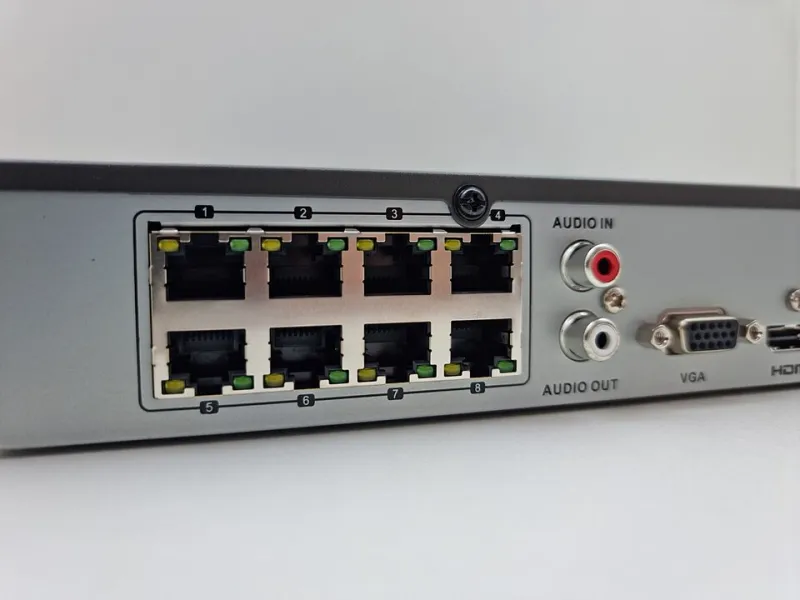
Photo: Smart Home Perfected, CC BY 2.0, via Wikimedia Commons
Ask a dozen UK installers how long footage should be kept and you'll hear the same number most of the time: 28 days, occasionally 30. It appears in quotes, handover packs and the comments under YouTube tutorials. It isn't wrong, exactly. It's just not a policy. It's a habit that's been copied so often that the reasoning has fallen off the back.
If you run a shop, a small warehouse, a school or a fairly ordinary semi-detached with four cameras round the back, that retention setting is a decision about other people's personal data. Twenty minutes spent making it a decision you could explain to a stranger is time well spent.
Where the 28-day number came from
Nothing in UK law says 28. The figure drifted in from a mix of practice: police requests often cover the last few weeks, insurers like a month of history, and a month happens to fit neatly on a 2TB drive in a lot of 2015-era installations. Once one large public-sector buyer wrote it into a specification, it spread.
Worth saying plainly: a number copied from a specification isn't a justification. If someone asks why you keep footage for exactly four weeks, "that's the default" is a weak answer, and "we've never changed it" is weaker still.
What the ICO actually expects
The regulator doesn't publish a magic number, and it's worth understanding why. Under the UK GDPR, the storage limitation principle says personal data should be kept no longer than necessary for the purpose. For CCTV, the ICO's line is broadly: work out what you need, keep it that long, and be able to say why. It also expects you to actually delete or overwrite it — a retention policy that exists in a document but not in the recorder's settings is decoration.
Two practical consequences follow.
First, "necessary" depends on the purpose. A camera covering the till of a shop dealing with chargebacks may genuinely need longer than one watching an empty loading bay at a site with a guard on the gate.
Second, you need to be able to find footage while you still have it. A 28-day window that nobody knows how to search is no better than seven days.
Also worth flagging: if footage is needed for an investigation, an insurance claim or a police request, you pull that clip out and preserve it separately. Retention periods govern routine overwriting, not evidence you've deliberately kept.
The storage arithmetic, without the headache
Here's the sum that actually decides everything, and it's simpler than the sales leaflets suggest.
Every camera has a bitrate — the data it produces per second — usually quoted in megabits per second (Mbps). Divide by eight to get megabytes. Multiply by 86,400 (the seconds in a day) for daily data. Multiply by the number of cameras. Multiply by the days. Divide by 1,000 twice to land on terabytes.
A worked example. A 4MP camera running at 2 Mbps:
- 2 Mbps ÷ 8 = 0.25 MB per second
- × 86,400 = 21,600 MB, or about 21.6 GB per day
- Four cameras = 86.4 GB per day
- 28 days = roughly 2.4 TB
So a four-camera 4MP system at that bitrate needs about 2.5TB of usable disk, and you want headroom — a recorder sitting at 95% full starts behaving oddly and often shortens retention by itself. Buy for 3TB if you need 2.5TB.
Now change one variable. Drop to 1 Mbps (perfectly reasonable for an H.265 camera at 4MP in a quiet area) and the same four cameras at 28 days need about 1.2TB. Halve the days and you halve the disk again. This is why "how much storage do I need?" can't be answered without knowing camera count, resolution, codec and retention target.
The bitrate on the box is a best case
Manufacturers quote figures that assume a quiet scene, efficient compression and no rain. A camera pointed at a busy pavement, a tree in a breeze, or a car park with headlights sweeping across it will produce considerably more data than the spec sheet promises. Grainy night footage is worse still — sensor noise is expensive to compress.
Practical fix: set a maximum bitrate in the camera's encoder settings, and check actual disk consumption after a week rather than trusting the estimate. Your recorder will tell you the real daily figure. Use that number, not the brochure.
Working backwards from an incident
"How long should we keep it?" is often easier answered backwards. Think about the events you'd want to review, and how long after the event you'd realistically learn about them.
- Slip, trip or fall on your premises: usually reported within days, but injury claims can surface weeks later. 28–30 days is defensible; 14 probably isn't.
- Stock loss at a small shop: discovered at stocktake, which may be weekly or monthly. If your stocktake is monthly, a 14-day window is close to useless for the purpose you bought cameras for.
- Till discrepancies and chargebacks: card disputes can land 30–60 days after the transaction. If that's your main reason for a camera over the counter, a 30-day window won't cover it and you should be honest about that.
- Vandalism or antisocial behaviour on a residential street: usually reported quickly, so a shorter window is often fine.
Write down your top two or three reasons, then pick the retention that covers them. Anything beyond that is data you're holding without a reason.
Overwriting early versus hoarding you can't justify
There are two failure modes, and people tend to pick a side.
Overwrite too soon and the camera might as well not be there. The classic is a shop with seven days of retention, a till discrepancy found at month end, and nothing to review. The system was working perfectly; it just wasn't working for the job it was bought to do.
Keep too long and you're sitting on a growing pile of personal data — faces, number plates, conversations if audio is on, sometimes people in vulnerable moments — with no reason to hold it and a bigger headache if the recorder is ever compromised. Storage limitation isn't red tape; it's the reason a two-week policy is defensible and a two-year one raises eyebrows.
The sweet spot is usually narrower than people expect: long enough for realistic review needs, short enough that you'd be comfortable saying the number out loud.
A retention rule you can actually defend
Something like this, filled in and left with the system:
Retention policy — [site name] Recorded footage is kept for 21 days from capture, then automatically overwritten. Reason: covers monthly till reconciliation and card disputes raised within three weeks; covers all incidents reported to date. Scope: all eight cameras, continuous recording, no audio capture. Exceptions: any clip relevant to an incident, insurance claim or police request is exported, logged in the incident register and stored separately for as long as the matter requires, then deleted. Reviewed annually by [name]. Last reviewed: November 2026.
Two things make that credible. The number has a reason attached, and it matches the recorder's actual setting — anyone reviewing it can open the menu and check.
The boring checks that keep it honest
- Verify the overwrite happens: look at the oldest clip in the playback list and confirm it's roughly the age you intended.
- Confirm nobody has quietly switched a camera to motion-only recording when it needed continuous coverage, or the reverse. Motion recording can stretch 28 days into 90, which is fine only if you meant it.
- Keep the clock right. Network time sync is a checkbox on most recorders, and a surprising number of disputes come down to timestamps that drifted.
- Store exported clips in one place with one naming convention. A folder called "misc" on someone's desktop is not an evidence trail.
- Put the review date in the calendar. Nothing here needs doing often, which is exactly why it gets forgotten.
None of this is glamorous. But retention is the one CCTV setting where the law, the practical need and the storage bill all point the same way: pick a number you can justify, set it, write it down, and check it once a year.
General guidance, not legal advice. If your circumstances are complicated — staff monitoring, schools, anything touching sensitive data — take proper advice.