Moving Out Without Leaving a Camera Behind: A CCTV Handover Plan

Photo by Photo by HiveBoxx on Unsplash on Unsplash
Moving house is a long list of small decisions. Cancel the broadband, read the meter, find the box with the kettle in it. CCTV often sits somewhere near the bottom of that list, which is odd when you think about it. You are leaving behind a device that has been watching your home, your street and possibly your neighbours, and it is still logged into an app on your phone.
There is no single right answer for what to do with it. You can leave a working system for the buyer, take it with you, or hand over part of it. What matters is that you decide before completion day, and that you deal with the accounts and footage as carefully as the hardware.
First, work out what is actually installed
Before you choose, make a list. Cameras, recorder, cables, doorbell, app accounts, cloud subscriptions and any smart home links. Check whether the equipment is owned by you or leased as part of a broadband or security package. If it is leased, it probably needs to go back, and the buyer needs to know that.
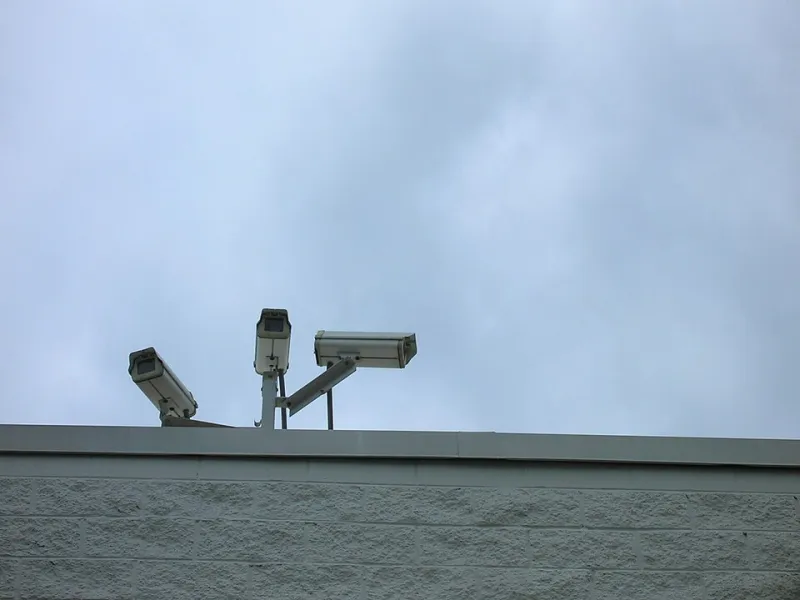
Look at how it is mounted. A doorbell camera on a bracket is easy to remove. A camera screwed into a fascia with a cable running through a wall is more of a fixture. If the system was installed by a previous owner, you may not know where the cables go or whether the recorder is in the loft. Find out before you start unscrewing anything.
Option one: leave a working system
Leaving the system can be a selling point, especially if it is neat and the buyer understands what they are getting. But 'working' needs to mean working for them, not just working for you. That means transferring ownership properly, not handing over a note with your old password on it.
Create a new admin account for the buyer if the system supports multiple users, then remove your own. Change the Wi-Fi settings if the recorder or cameras are connected to your home network. Factory reset the devices if you are not leaving any footage. Cancel or transfer any cloud subscription in the buyer's name. Leave the manuals, the model numbers and a simple diagram of what is connected to what.
Be honest about age and condition. A camera that has been outside for six years may still work, but the buyer should know it is towards the end of its useful life. If the system needs an app that is no longer supported, say so. A handover that creates a support headache is worse than no handover at all.
Option two: take it with you
If the system is yours and not part of the sale, you can remove it. Do it cleanly. Fill the screw holes, make good the cable entries and do not leave dangling cables or a bracket with a raw edge. If the cable runs through a wall, you may need to leave the cable in place and cut it back neatly rather than pulling the wall apart.
Check the property information form and your contract before you remove anything fixed. CCTV can be treated as a fixture, especially if it is wired into the building. If you are renting, ask the landlord. If you are selling, agree in writing with the buyer what stays and what goes. A quick email before exchange is much easier than an argument on completion day.
Option three: a partial handover
Sometimes the buyer wants the cameras but not the recorder, or you want to keep the recorder but leave the doorbell. Partial handovers can work, but they need to be written down. Which devices stay? Which accounts are transferred? Who is responsible for the subscription after completion? Who keeps the old footage?
Do not leave your account logged in on a device you are handing over. Do not leave a recorder with years of clips on it and assume the buyer will wipe it. If you are keeping the recorder, make sure the cameras you leave behind are reset and no longer linked to your account.
The account is the part people forget
CCTV accounts are easy to set up and easy to forget. The app may be linked to your email address, your phone number and your cloud storage. If you leave the hardware but keep the account, the buyer may not be able to use the system properly. If you hand over the account, you may be handing over personal data without meaning to.
The cleaner approach is usually to create a new owner account, transfer the devices, then remove your own access. Change the password before you move out, especially if you have shared the login with a builder, cleaner or family member. Turn off two-factor authentication linked to your old phone number if you are giving the account away, or help the buyer set up their own.
Check subscriptions separately. A cloud plan may renew after completion, or it may be tied to an app store account. Cancel it if you are not transferring it, and tell the buyer what they will need to pay if they want to keep cloud recordings.
Footage, privacy and the awkward bits
Your recordings may include neighbours, delivery drivers, visitors and your own family. They are not part of the fixtures and fittings. If you are leaving the system, wipe the recordings unless there is a specific reason to keep them. If there is an ongoing insurance claim or a police matter, take advice before deleting anything.
For a home system, the usual domestic privacy exemptions are fairly forgiving, but that does not mean you should leave personal clips for strangers to browse. For a business premises, the rules are more formal. If you are selling a shop or office with CCTV, the buyer needs to understand their responsibilities as the new operator.
If the buyer asks for old footage, think carefully. Usually the answer is no. If they need it for a genuine legal or insurance reason, get advice and keep a record of what was shared. Do not turn a house move into an accidental data transfer.
Completion-day checklist
- Decide what stays and what goes before exchange.
- Put the agreement in writing.
- Remove your admin access from any device you leave.
- Factory reset equipment that is changing hands.
- Cancel or transfer cloud subscriptions.
- Wipe old footage unless there is a legal reason to keep it.
- Make good any holes or cables if you remove hardware.
- Leave manuals, model numbers and a simple setup note.
- Take photos of what was left and how it was mounted.
A CCTV system is not just a box of electronics. It is an account, a set of recordings and a small piece of your daily routine. Deal with all three and you can hand over the house without handing over your login.