Four Idle Channels on Your Recorder? Give Them a Job Before They Gather Dust
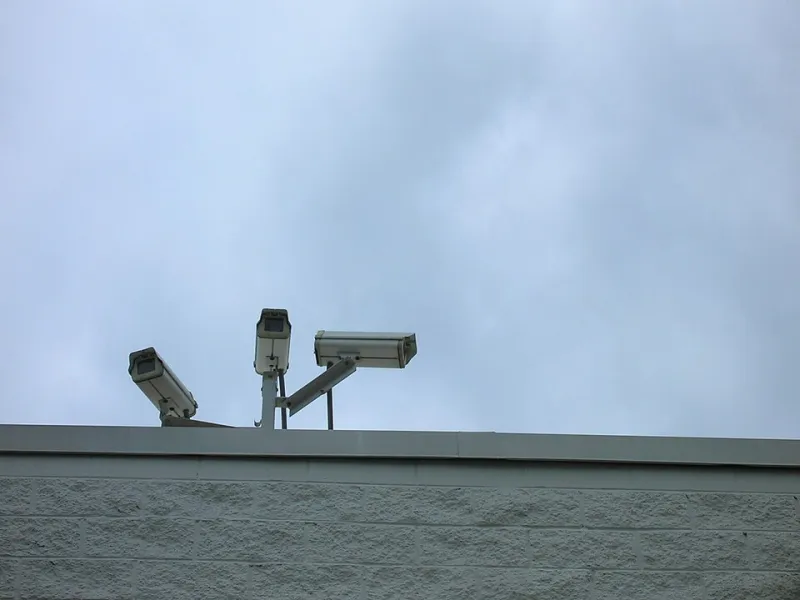
Photo: CCTV recorder with spare camera channels and small shop camera installation UK, via animalcorner.org
A CCTV recorder with eight channels and four cameras is a bit like a van with empty shelves. It works, but you paid for capacity you are not using. Spare inputs are not a problem in themselves. They are an invitation. The trick is to use them deliberately rather than filling them with whatever camera is on offer at the trade counter.
Here are practical jobs for idle channels, plus the boring bits that decide whether they are worth it.
Before you plug anything in: three checks
First, resolution matching. A 4K camera on a recorder that only records 1080p per channel may be downscaled, or may not work at full frame rate. Check the recorder's per-channel specification, not just the box headline. Mixing resolutions is sometimes fine, but the recorder may default everything to the lowest common setting.
Second, power. If the channel is PoE, check the switch or recorder's power budget. If it is analogue, check the power supply. Adding a camera with infrared LEDs and a heater can push a marginal supply over the edge.
Third, storage. Every extra channel writes data. A 2MP camera at around 2 Mbps is roughly 21 GB a day if it records continuously. A 4MP camera at 4 Mbps is closer to 43 GB a day. On a 28-day retention plan, that adds up fast. Motion-only recording reduces it, but then you need to trust the detection.
1. The overview camera
A wide view of the front garden, yard or forecourt gives context. It will not read a face at 20 metres, and it is not meant to. It tells you which way someone walked, what car was waiting, and whether the door camera's clip is part of a bigger story. Put it high enough to avoid being knocked, but not so high that everyone is a hat.
2. The bin store or back gate
Bins, bikes and back gates attract the kind of nuisance that never makes the main camera. A small camera on the bin store can catch fly-tipping, a gate being forced, or the moment a delivery driver decides the recycling box is a shortcut. It is also a good place for a cheap 2MP unit because you mainly need movement and silhouette, not a portrait.
3. The till angle for a small shop
If you run a shop, a second angle on the till is often more useful than another view of the door. One camera can show the customer's face; another can show the counter, the card machine and the till drawer. Keep the angle tight and avoid pointing through a window at the street. The point is to see hands and transactions, not to create a panorama.
4. The entrance close-up
A door camera is usually a compromise between seeing faces and seeing packages. A spare channel can take the close-up: a tight view of the threshold, the mat and the first metre inside. That helps with parcel disputes and 'I was only there for a second' conversations. It also pairs well with a wider overview camera.
5. The delivery doorstep
If parcels are the issue, aim a camera at the spot where they are actually left, not the spot where the manual says they should be. That might be a porch, a side passage or a communal hallway. Check the view at night, because a black bin bag and a black rucksack look similar in infrared.
6. The fire exit or alley
For small businesses, a camera on the fire exit or rear alley is about safety and accountability as much as crime. It can show whether a door was propped open, whether waste was dumped, or whether someone used the back route after hours. Do not point it into a neighbour's window or a public toilet block. That is not security; that is a complaint waiting to happen.
7. The car park or driveway approach
A camera on the approach catches vehicles before they reach the door. You may not read a plate at 30 metres, but you can see colour, shape and direction. If plate reading matters, that is a separate discussion about pixels per metre and lighting, not a spare channel you fill on a Sunday.
8. A test bench or spare position
Sometimes the best use of a spare channel is not a permanent camera. Keep a spare camera and a long lead for testing. When a camera goes down, you can swap it in and confirm whether the fault is the camera, the cable or the recorder. That is less exciting than a new view of the drive, but it is genuinely useful.
Privacy limits still apply
Spare channels do not create spare rights. Do not point a camera into a neighbour's garden, bathroom or bedroom. Avoid covering public spaces more than you need to. Put up a sign if you are capturing people outside your property. If you have audio, turn it off unless you have a clear reason and have thought about the rules. And keep retention sensible; more cameras do not justify keeping footage forever.
The empty inputs on your recorder are not a failure. They are options. Use them for views that answer a real question, check the resolution and storage maths, and leave the rest empty until you have a reason.